Date: 2007.08.06
Duration of activity: 4+ hours
Group members participating: Alessandro, Daniela, Samuele
This time we brought our CDs so we could start to program the NXT brick.
We took up our laptop and started following the installation guides.
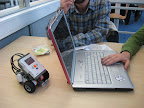
Two hours later we were sure that there is no way to install the whole stuff on Windows Vista, so we decided to move to one of the PCs of the labs - now freed up by our course mates gone to home.

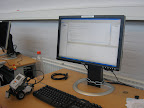
Then we tried some modifications to the code:
At the end, we just kept playing with lego bricks, and trying some other sensors or model designs without success. We'll be more lucky next time.
We then installed and set up Eclipse, to make it compile and transfer programs.
Of course nothing works, at first because of Eclipse weird behaviour, then because sensors were obviously attached to the wrong port, and at last in finding the little and well hidden button under the USB port.
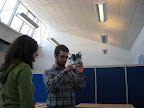
At 18.44, we have our first moving robot (with only the sample program inside)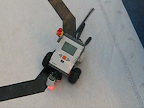
Then we tried some modifications to the code:
- We changed the sampling speed, which had nearly no effect.
- We increased the speed, but not to much, to avoid big swings.
- We implemented the three states controller, which obviously could not work with the LineFollower environment (but we were starting to get too tired to noticed it before trying).
- We finally implemented the gentle turn, which actually worked better, at least for the black lines that we used.
- And since the sun went down while trying, we even experienced how sensors are influenced by the changes of ambient light.
At the end, we just kept playing with lego bricks, and trying some other sensors or model designs without success. We'll be more lucky next time.
Quote of the day:
(While dictating a PIN code)
- "5... 5... 2..."
- "Uppercase or lowercase?"

No comments:
Post a Comment